Contents
- Introduction
- WHY?
- HOW?
- Image Optimization
- JS CSS Bundling and Minify
- Server Cache
- Browser Cache
- CDN
- JSON Data Delayed Render
- Prerender
- Tools
I am web developer with 7+ years of experience, and I thought to write about what well known techniques I use to achieve website load speed under 1 second and score higher than 95 on Google pagespeed score for Desktop as well as above 90 for Mobile. If you’re a startup or agency looking to rank your website higher on Google and you are unable to get there because of a bloated, and large website, you can benefit from these. One key thing I realised is that Website core web vitals (Pagespeed score) impact website SEO more than we think it does. you can follow any of these website optimizations and achieve good results for website.
To get your website to show in the first 2 pages of Google search result, its necessary that your website scores above or at 95 score on Google pagespeed. It needs to be similarly high for Desktop and Mobile both.
To get a higher score for Mobile gets a little tricky, at least it has been in my experience, and but devs have found some neat tricks to make it work, which I have used and I am going to share in this post.
The center of Google pagespeed score is Core web vitals, which are FCP, LCP, CLS, TTFB and some more. These are the important website loading time and performance tracking parameters that are considered in calculating the Pagespeed score.
FCP is first contentful paint, which means how long did it take for the first screen view of website to appear. So having any blocking Javascript or CSS of the first visible screen of website, it lowers the FCP score.
LCP is Largest contentful paint.
CLS is Cumulative layout shift, this parameter measures how much the website visual layout shifts during the loading and rendering process of website, some usual issues that are cause of low CLS score, they include slow loading fonts (for this preload setting can be used, which directs the browser to load fonts even before they are encountered by browser in CSS), not providing a fixed width and height to lazyload images (For this images can be explicitly given Height and Width, and this will solve the issue) etc.
TTFB is time to first byte, this is mainly server related, how and which service the website is setup with, how their server is situated and optimized for caching, and distributed network etc. A quick fix to this issue is adding a CDN to website, which caches a website HTML and loads it quickly to users computer by sharing the file from the users nearest data server network of the CDN service.
We will discuss how I have tackled these further.
FCP is the most important one from my experience, and solving one parameter also solves the others as I have experienced, as because the techniques used to improve FCP also overlap with the ones used for CLS and LCP.
Why Pagespeed Score Matters for SEO And How It Is Measured?
Nowadays, getting in the first or second page of Google search results is non-negotiable if you want to get traffic to your website.
Without a good pagespeed score and amazing SEO its impossible to get to the first 3 pages.
To Calculate Pagespeed score, the algorithm primarily, detects a few parameters such as FCP, CLS, TTFB, ITNP, etc. These are various parameters calculated to predict how fast rendered and quickly interactive this website is to real users. These parameters are influenced by a few technical steps that algorithm measures, such as total rendering time for browser, any render blocking javascript code on website, and how each files are loaded to browser, their individual times to load.
The summary of techniques I have used are Image optimization, JS and CSS optimization, server cache, frontend – browser cache, Content optimization, CDN, these are ones that I know of.
By searching these terms on Chatgpt, all these techniques can be implemented by a professional developer, they are straightforward to implement, and they will increase the website performance drastically.
Image Optimization
For Image Optimization, I use Lazyload for Images, using IntersectionObserver Javascript API. The way Lazyload is set is that only when an image is going to be visible to user, we then load the image at that instant, otherwise we don’t until the image is invisible from user. You may find many different implementations of Lazyload on Chatgpt, you may implement them and see the Page load difference instantly.
Most CMS (Content Management Systems) have plugins available to include lazyload feature to website, but my personal opinion is to implement it manually so that we have more control on how the lazyload is implemented and how we want it to appear to end user.
Then I also use WebP image format with automatic WebP image conversion on server setup.
WebP is a web specific format created which strips almost all unnecessary information from images reducing their weight way lower in comparison to PNG or JPEG.
The logic behind lazyload is simple, load image when its going to be visible to user. IntersectionObserver is used to observe all image elements on website, it provides a callback function which is called when a certain image has started to be visible to user, in this callback function we switch the image source path to the actual image and using a CSS opacity effect we gradually show the image to user. The user experiences no significant delay in seeing the image, as the process happens quickly.
By switching image source attribute (src=’image_path’), we can achieve Lazyload effect.
JS CSS Bundling and Minify
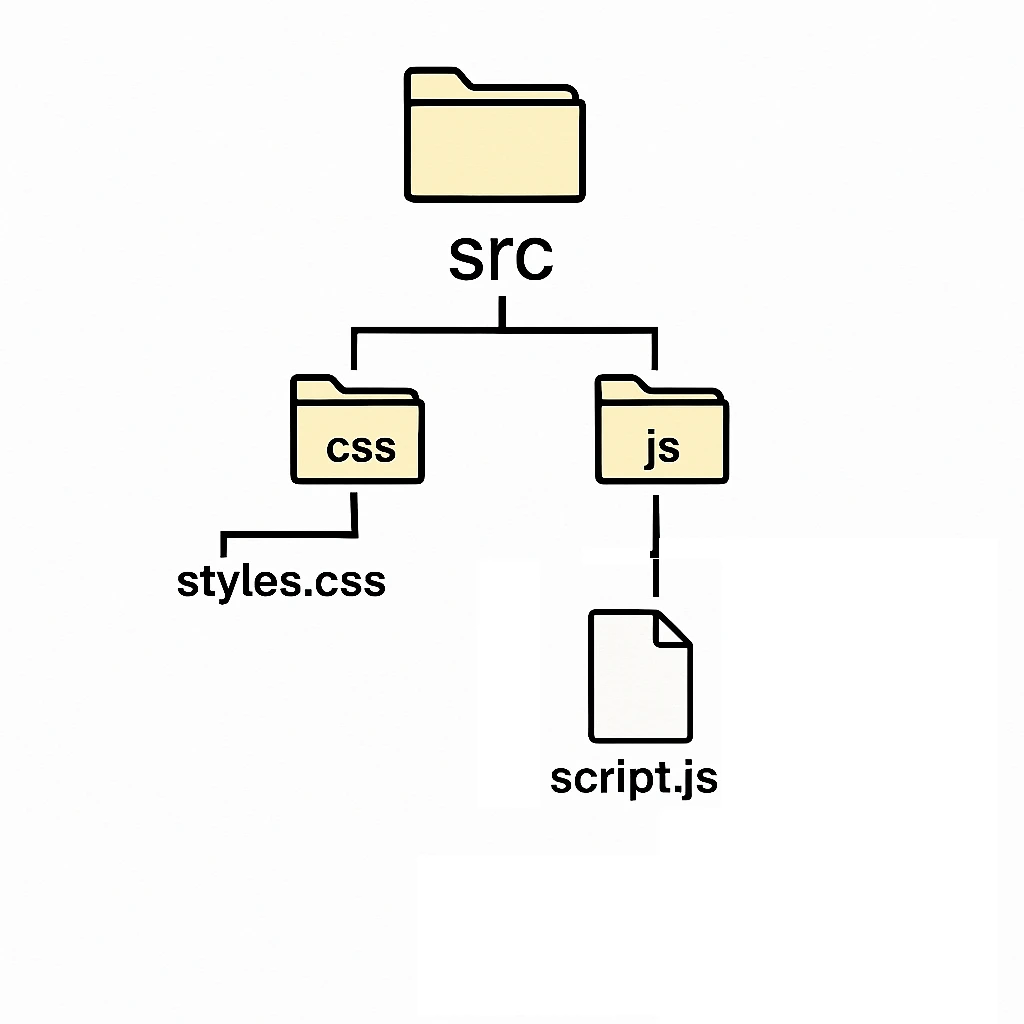
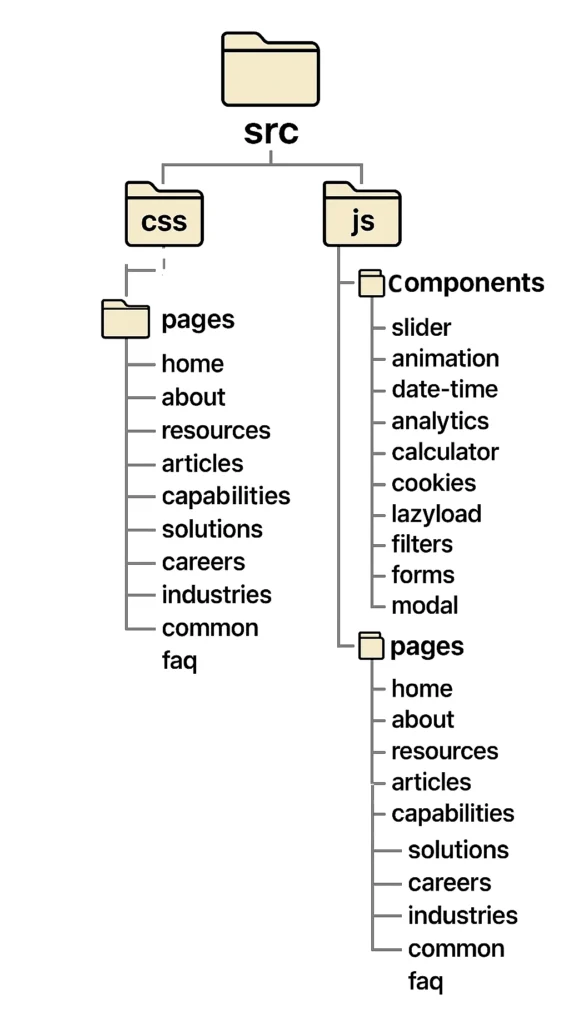
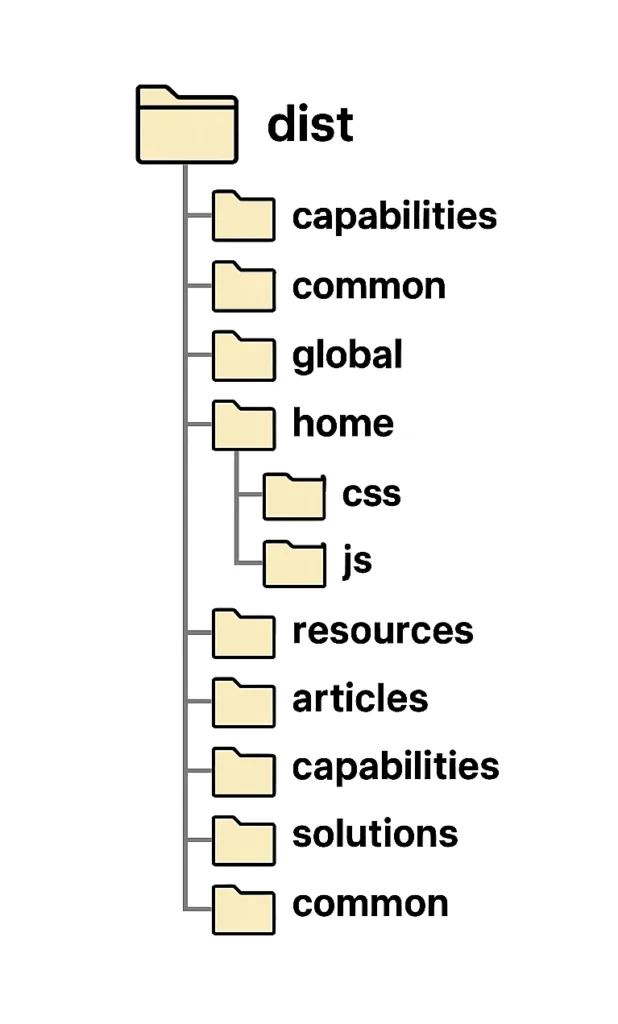
For JS and CSS Optimization, I use Javascript and CSS bundling and minification using existing a npm package, like Webpack. I used webpack to build CSS and JS for individual page of website, to keep the CSS and JS footprint low, and optimized.
Webpack can be used to orchestrate a build process, which can be configured to load individual JS and CSS files for each individual page of website, this keeps the file size really low for an individual page, for example you may not need all the styles and Javascript needed for the entire website to load on Product page itself.
Webpack allows us to bundle individual asset files for specific pages, this reduces page load size, and Pagespeed will not flag your website for excessive files size and avoid unnecessary code which is not used in website error warning.
We can use node packages available for minifying JS and CSS in Webpack build to minify the JS and CSS files and save them to a folder, from which these files can be linked to individual pages from the website middleware. In WordPress, for example you can link the files to pages from functions.php.
Server Cache
Server cache is usually automated by the cloud service provider. But it can be confirmed with the server provider that they are using a legitimate server cache software or not, and if they are using server cache specific to the backend.
Browser Cache
Browser cache is similar, most modern CMS already include browser cache directives, and by using plugins available for this browser cache can be configured easily. Browser cache helps by letting user use the existing already loaded assets and code files without reloading them on repeated visits.
CDN
CDN is used to make all static assets of website keep stored in various data center locations. By doing this a user gets the assets from their nearest location and thus website loads fast for the user. For this Cloudflare and Sucuri cache are both good options.
JSON Data Delayed Render
In content optimization, there are various advance techniques that use JSON data to render HTML. Content is rendered after page load, so that any heavy interactive content does not add to browser page rendering time.
For Content optimization I have deferred to load any interactive content on website. Many times, there may be interactive content, with animation and relative positions, they take more time to render for browser, and this interactive content may be way down below the initial screen that is first visible to the user. So instead we can delay the render of this content, by making it a JSON data object in HTML and using Javascript after page is loaded to render the content at its appropriate location.
For this, I have used Javascript and JSON data to load the content on screen after page is rendered and Pagespeed algorithm has run. By doing this, Pagespeed already measures core web vitals based on limited content that is rendered, without taking in consideration the interactive content that is rendered after initial page load is completed. By using simple append HTML function in Javascript I have delayed rendered highly interactive content that requires more time to render on browser, this time is added to page load time and core web vitals suffer because of it. Especially on Mobile, interactive elements add more time to page to render completely, even if the interactive element is below the initial screen visible to user.
Prerender
There one more technique, launched recently by browser APIs, its called prerender, it’s a small code snippet, which when embedded in a website header, directs the browser to preload and prerender a page when its linked is hovered by a user.
You may have heard about preload before, which is a great trick for above the fold content, content that loads on the first screen of user, what preload does is it, tells the browser to start loading a content right at the time when its parsed from the page HTML, by default, browsers wait to load asset files until the entire HTML document is parsed by the browser. When rel=”preload” is mentioned for a script tag or a link tag, it will start loading as it is parsed by the browser without waiting for the completed HTML document to be parsed by the browser.
Prerender is the evolution of preload, wherein the page itself is not only preloaded but prerendered, so when user clicks an internal link, the page renders instantly.
Further, we can use tools Debugbear and Request Metrics that can be used to monitor core web vitals of website, create alerts for specific pages for any core web vitals parameters levels. These tools can give more granular suggestions to improve FCP LCP and CLS by scanning page load in actual browsers and sharing their analysis.
When having implemented these optimisations to website, they gain above 95 score on Pagespeed, which helps the website rank higher, and the websites load in below 1 second loading time, this increases SEO of website which helps retain visitors on website, which means they read more content, visit more pages etc.
If you have any comments or need information about one of these write to me at ajitpatil1202@gmail.com