I have created a new Browser Extension. It removes styles and images from opened tab and shows just text version of the tab.
It’s ideal for
- Focus Reading
- Study
- Learning a Topic
- Blogs
- Reading News , Images are distraction ac
How to install and test in Chrome / Edge
- Download the folder and decompress it in a folder of your choice
- Inside the extracted folder you will find these files:
- manifest.json
- popup.html
- popup.js
- contentScript.js
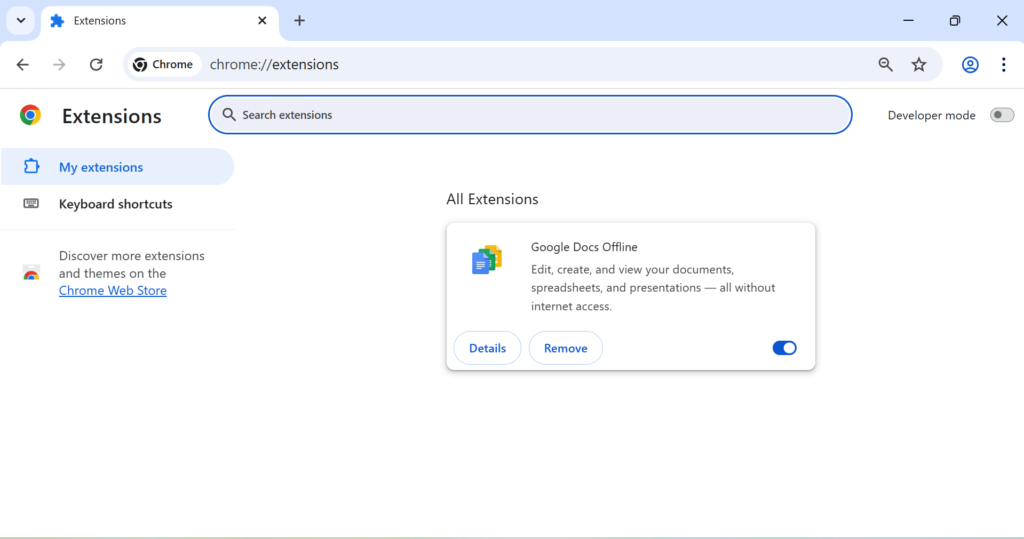
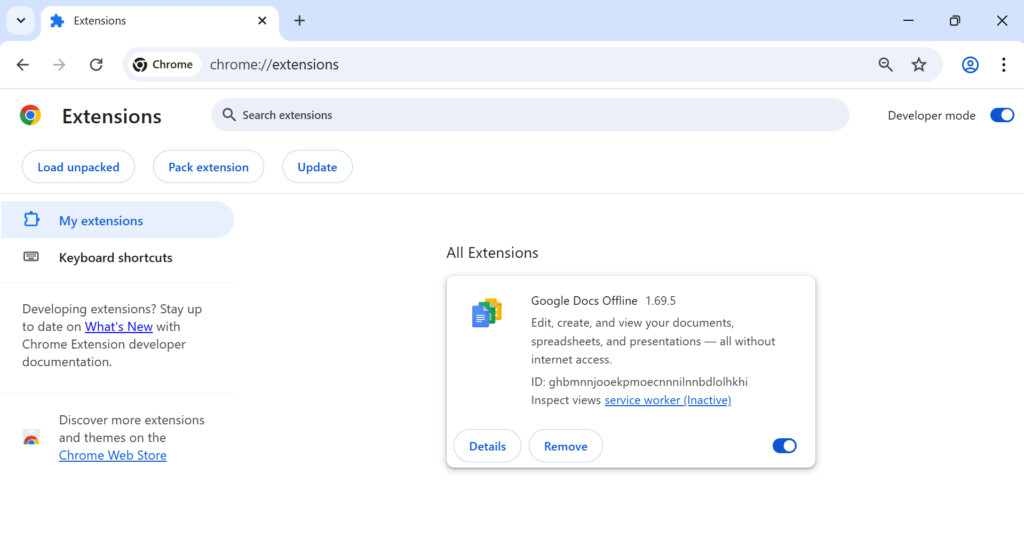
- Open Chrome / Edge → go to chrome://extensions/.
- Turn on Developer mode (top-right).
- Click “Load unpacked” and select the extension folder.
- Open any webpage, click the extension icon, and use the toggle:
- On: page re-renders without inline/stylesheets and without <img>, <picture>, <video>.
- Off: tab reloads to original.
How to load in Firefox
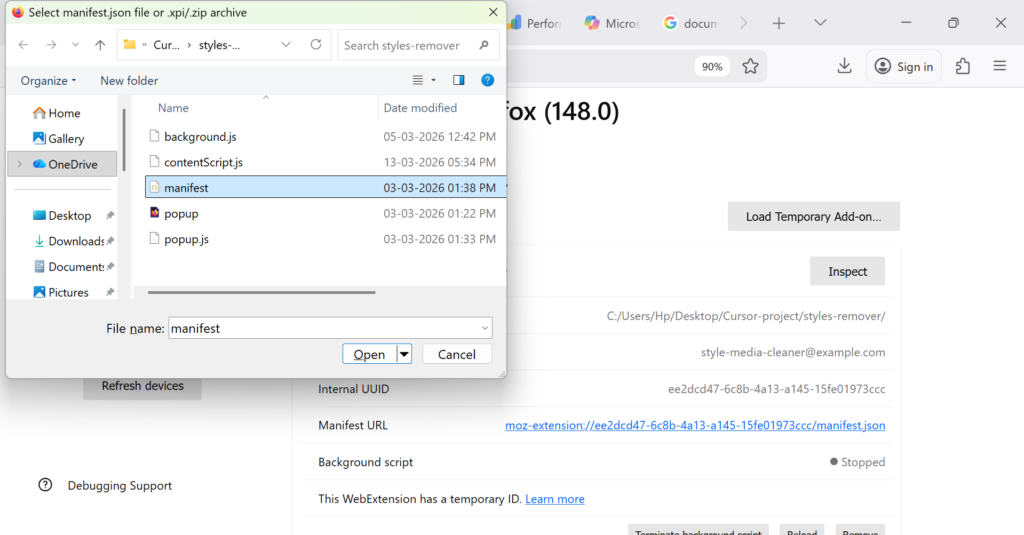
- Open Firefox and go to about:debugging#/runtime/this-firefox.
- Click “Load Temporary Add-on…”.
- Select the manifest.json inside your extension folder

Leave a Reply